1、API注册
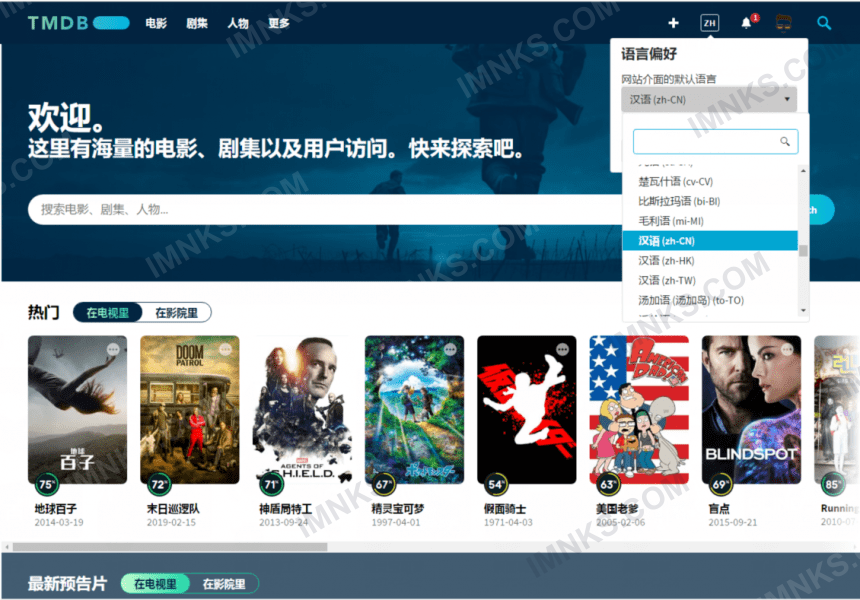
https://www.themoviedb.org/,打开改中文语言,然后注册—验证邮箱—登录
2、API申请
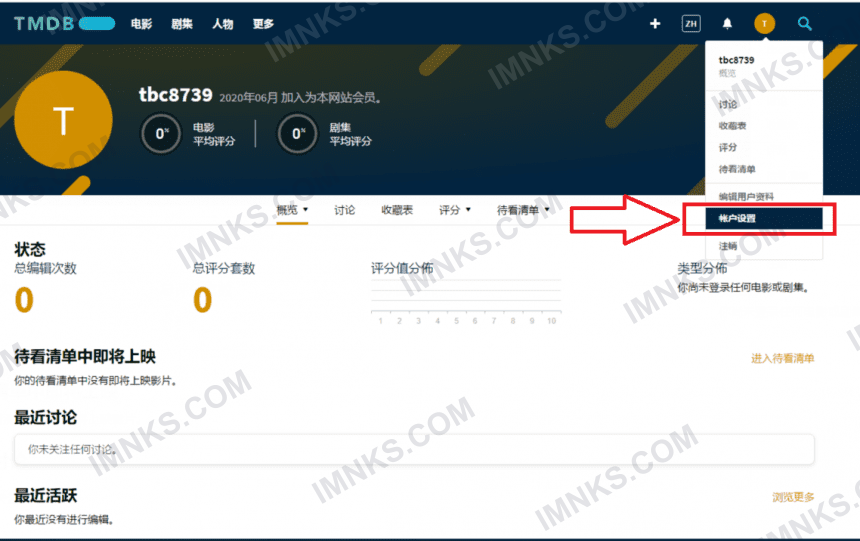
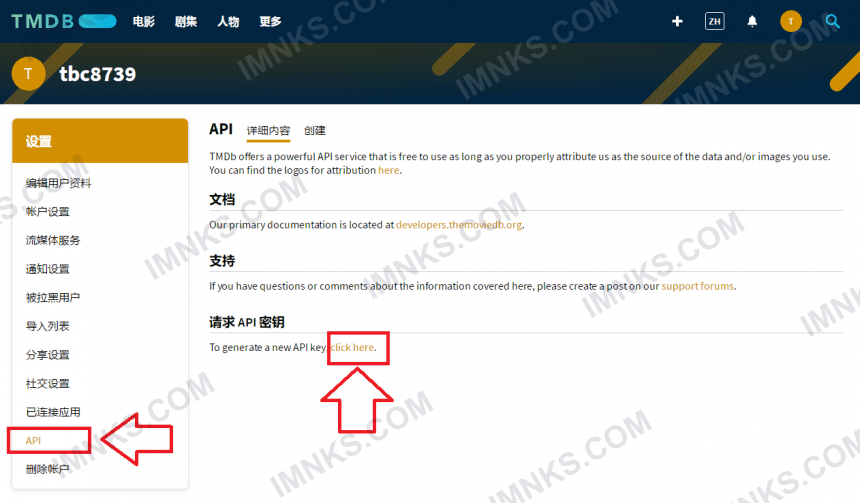
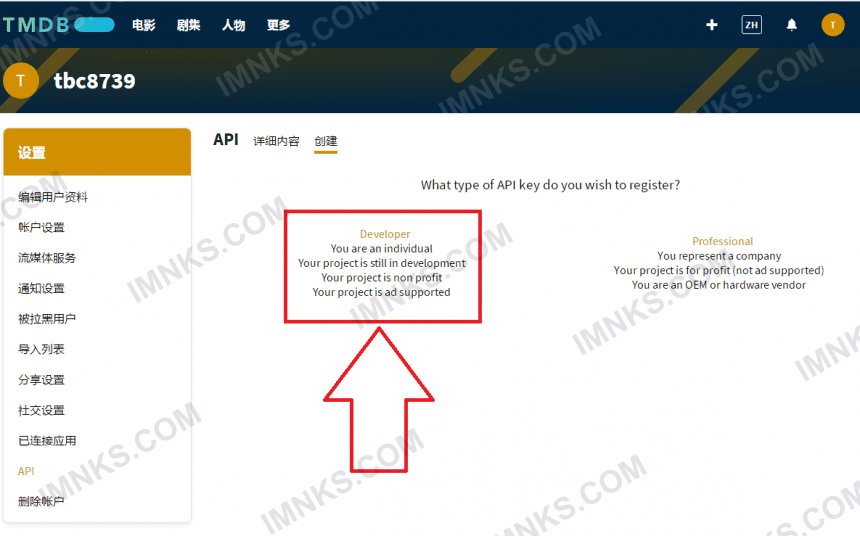
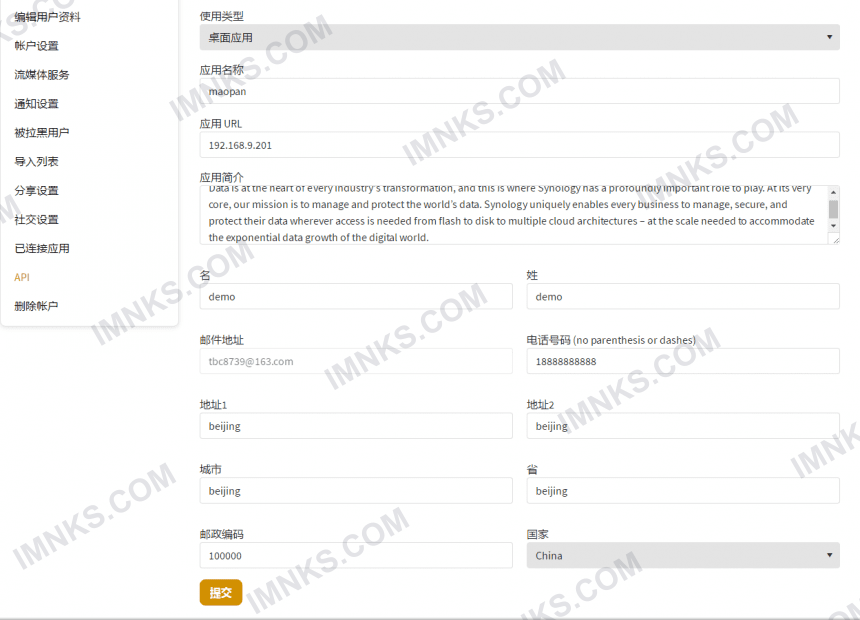
应用简介,样板:Data is at the heart of every industry’s transformation, and this is where Synology has a profoundly important role to play. At its very core, our mission is to manage and protect the world’s data. Synology uniquely enables every business to manage, secure, and protect their data wherever access is needed from flash to disk to multiple cloud architectures – at the scale needed to accommodate the exponential data growth of the digital world.
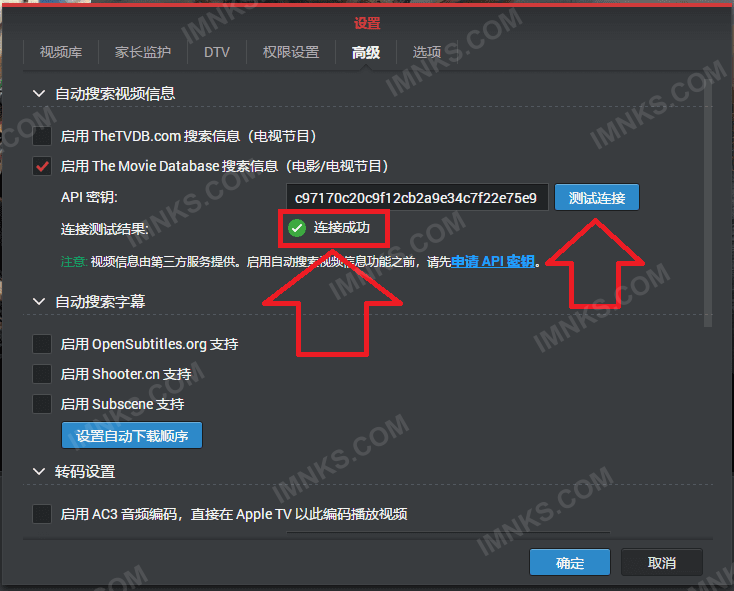
3、复制API密钥到Video Station设置—高级
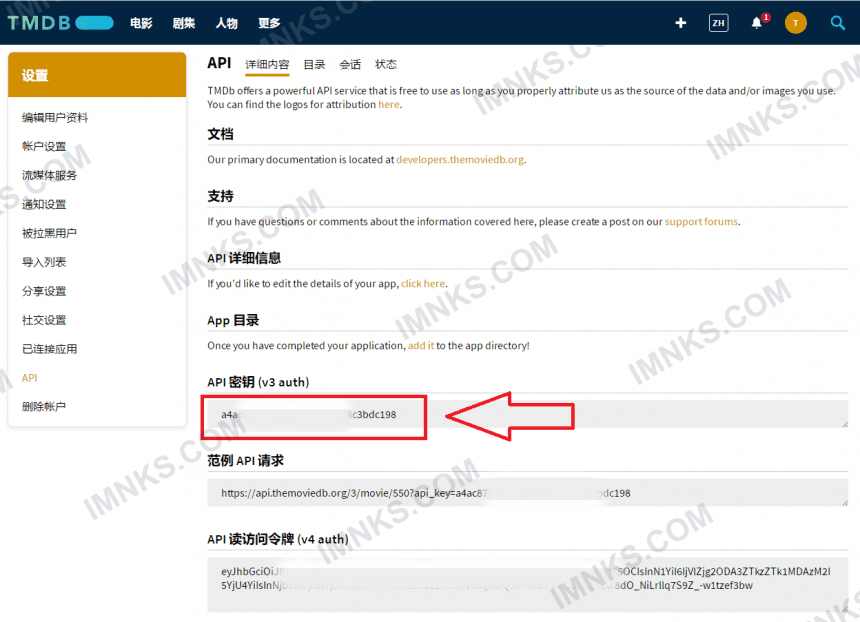
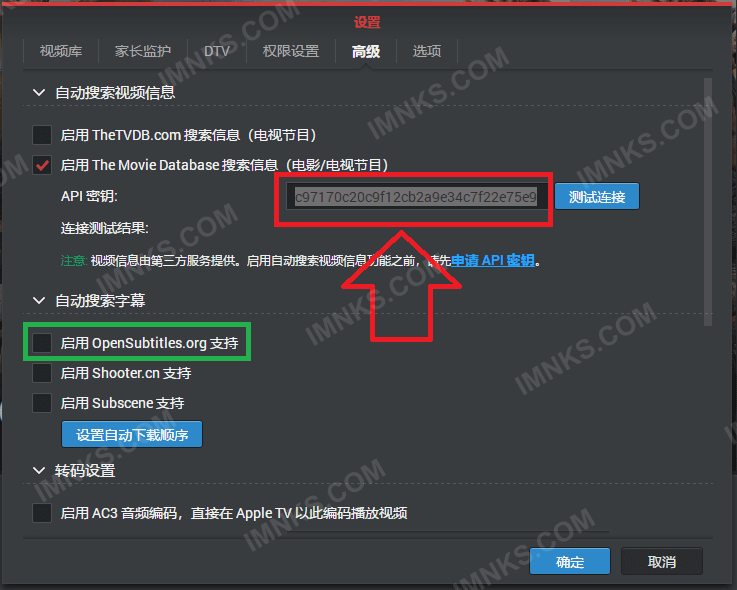
测试连接,如果显示“连接成功”,完活,不用往下看了,但是:国内环境大部分是失败的,继续执行第四步即可。
4、一键修改host
putty执行一遍重启下NAS即可,主要是杜绝dns污染,Video Station测试连接成功,完活。
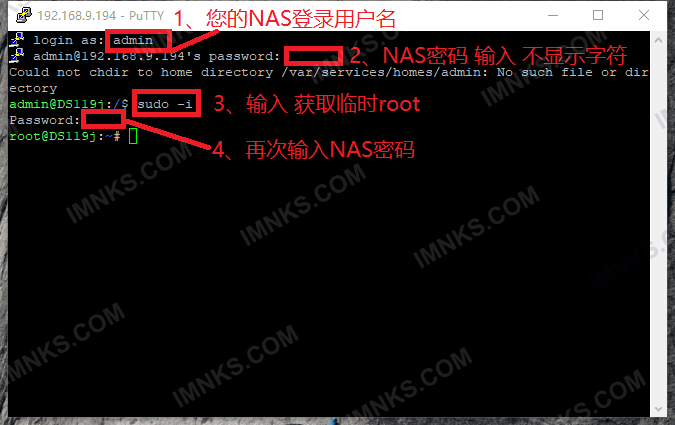
代码内容每周更新,如果连接失败请及时执行一遍即可。
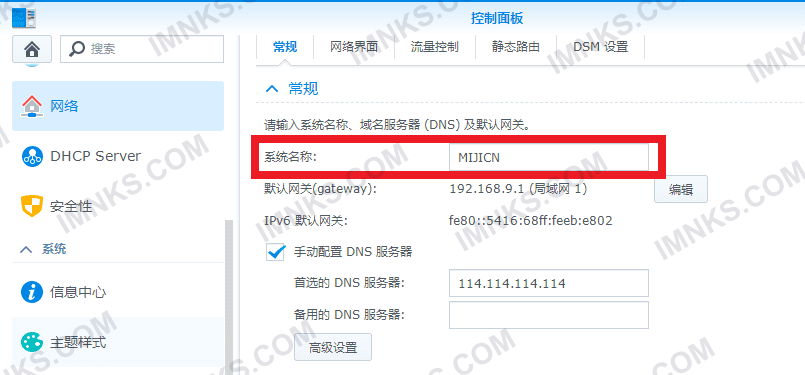
注意:控制面板-网络 里面修改:系统名称 会导致hosts清空为群晖默认!
两种方法一键更新api.themoviedb.org、image.tmdb.org、github.com的IP解析
#推荐自动筛选ip,@裙下孤魂 2023.10.16制作,全自动更新!默认自动更新tmdb、themoviedb、github
curl -L http://code.imnks.com/hosts-auto1007.sh | bash
#手动筛选的ip,本站2023.10.16更新tmdb、themoviedb,❌不建议用,没空天天更新❌
curl -L http://code.imnks.com/hosts.sh | bash
展开/收起内容
恢复系统名称,举例你的机器网络名称MIJICN
sed -i 's/DS918/MIJICN/g' /etc/hosts